
https://i.imgflip.com/a7z5ug.jpg
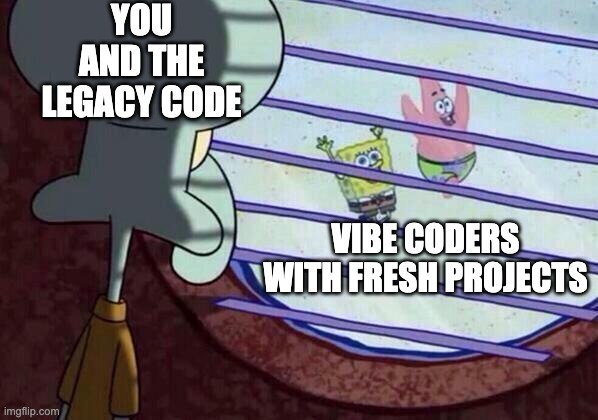
Greenfield:
Techstack: greenfield: use supabase, clerk best APIs possible and in training data brownfield: use existing APIs and data sources, integrate with legacy systems
Complexity: greenfield: design from scratch, no constraints brownfield: work within existing constraints, legacy systems
You hit a certain point of complexity where you need to implement techniques to keep performance acceptable easy to start POC, but this is just tip of iceberg
Documentation/Hype: Greenfield: lots of hype, new tools, cutting edge - this is where most articles are written Brownfield: less hype, more practical, real-world applications - fewer articles written
Projects/Scopes: Greenfield: One off projects, new initiatives, small websites and POcs Brownfield: Large scale projects, enterprise applications, ongoing maintenance and support
Model training: It was trained to add code, not edit. https://youtu.be/hOqgFNlbrYE?si=YMfLRE621kDFbKdd&t=1986 Adding code means context is built from the bottom up, so it fills naturally Editing code means context must be injected with just the right data, like a surgeon
https://www.youtube.com/watch?v=hOqgFNlbrYE&t=1108s
Legacy:
- it is easier to add AI tooling and best practices from the start in greenfield projects
- e.g. lots of markdown docs for context, that before agentic engineering noone would like to add/maintain
posthog article
Less of your app fits into the AI tool’s context windows, which means you need to be more careful about what goes into it. This is true of both coding and building AI-powered features. AI can go and make changes to parts of your apps you don’t expect. Radically changing the UI might be fine in a small prototype, but it can ruin a lot of things in a big app like ours. Tests, linting, and type checking increase in importance as they help protect against AI making changes with unintended consequences. Be specific with your prompts. In a larger codebase, individual files and features can take over your context window. Vaguely asking “make it better” will leave the agent confused and ineffective.
greenfield: make better -> easy to make better if the solution space is large brownfield: make better -> hard to make better if the solution space is small, need to be very specific to match existing style and patterns
https://mergiraf.org/?utm_source=substack&utm_medium=email
It’s like painting when you can use all your colours and favorite brushes versus painting with a limited palette and a single brush. You can still make something beautiful, but it takes more skill and effort that it aligns well
Skill issue
Yes you heard me right. it is a new skill to be learned, and being caught up in the actual day to day business of brownfield work, it is harder to rethink things from scratch.
It’s an obvious truth tha dev teams are more prone to try things out when they are starting something new, rather than trying to change existing things. Now with such a impactful technology, this decision matters more than ever.
Just focus on coding
claude code can be used a 2ndaary terminal for all kinds of tasks, like searching for things, refactoring, writing tests, generating docs, etc. Managing clusters, writing stories
Disclaimer
If you used Copilot like 6 months ago, you might have a different experience now. The tools are evolving rapidly, and what was true then might not be true now.
Leaf nodes https://www.youtube.com/watch?v=fHWFF_pnqDk&vl=de
- key insight: to keep tech debt at bay, AI shines (so far) when used in leaf nodes of the architecture
- ALAP/ASAP, revertible changes, low risk
If your code structure is messed up and quite complex, leaf nodes are intertwined with other parts of the system, then AI will struggle more. But tbh, you will struggle too.
Spec kit
overkill for small features generates good specs
well thought specs for single but larger features, but no good success with LLM for this yet:
- it is not a leaf node so danger of tech debt large
 Context Usage
     ⛁ ⛁ ⛁ ⛁ ⛁ ⛁ ⛁ ⛁ ⛁ ⛁   claude-sonnet-4-5-20250929 · 109k/200k tokens (54%)
     ⛁ ⛁ ⛁ ⛁ ⛁ ⛁ ⛁ ⛀ ⛁ ⛁
     ⛁ ⛁ ⛁ ⛁ ⛁ ⛁ ⛁ ⛁ ⛁ ⛁   ⛁ System prompt: 3.4k tokens (1.7%)
     ⛁ ⛶ ⛶ ⛶ ⛶ ⛶ ⛶ ⛶ ⛶ ⛶   ⛁ System tools: 12.9k tokens (6.4%)
     ⛶ ⛶ ⛶ ⛶ ⛶ ⛶ ⛶ ⛶ ⛶ ⛶   ⛁ MCP tools: 18.7k tokens (9.3%)
     ⛶ ⛶ ⛶ ⛶ ⛶ ⛶ ⛶ ⛶ ⛶ ⛶   ⛁ Custom agents: 1.0k tokens (0.5%)
     ⛶ ⛶ ⛶ ⛶ ⛶ ⛶ ⛶ ⛶ ⛶ ⛶   ⛁ Memory files: 4.9k tokens (2.4%)
     ⛶ ⛶ ⛶ ⛶ ⛶ ⛶ ⛶ ⛝ ⛝ ⛝   ⛁ Messages: 22.6k tokens (11.3%)
     ⛝ ⛝ ⛝ ⛝ ⛝ ⛝ ⛝ ⛝ ⛝ ⛝   ⛶ Free space: 92k (45.8%)
     ⛝ ⛝ ⛝ ⛝ ⛝ ⛝ ⛝ ⛝ ⛝ ⛝   ⛝ Autocompact buffer: 45.0k tokens (22.5%)

     MCP tools · /mcp
     └ mcp__context7__resolve-library-id (context7): 874 tokens
     └ mcp__context7__get-library-docs (context7): 835 tokens
     └ mcp__chrome-devtools__list_console_messages (chrome-devtools): 584 tokens
     └ mcp__chrome-devtools__emulate_cpu (chrome-devtools): 651 tokens
     └ mcp__chrome-devtools__emulate_network (chrome-devtools): 694 tokens
     └ mcp__chrome-devtools__click (chrome-devtools): 636 tokens
     └ mcp__chrome-devtools__drag (chrome-devtools): 638 tokens
     └ mcp__chrome-devtools__fill (chrome-devtools): 644 tokens
     └ mcp__chrome-devtools__fill_form (chrome-devtools): 676 tokens
     └ mcp__chrome-devtools__hover (chrome-devtools): 609 tokens
     └ mcp__chrome-devtools__upload_file (chrome-devtools): 651 tokens
     └ mcp__chrome-devtools__get_network_request (chrome-devtools): 618 tokens
     └ mcp__chrome-devtools__list_network_requests (chrome-devtools): 783 tokens
     └ mcp__chrome-devtools__close_page (chrome-devtools): 624 tokens
     └ mcp__chrome-devtools__handle_dialog (chrome-devtools): 645 tokens
     └ mcp__chrome-devtools__list_pages (chrome-devtools): 582 tokens
     └ mcp__chrome-devtools__navigate_page (chrome-devtools): 642 tokens
     └ mcp__chrome-devtools__navigate_page_history (chrome-devtools): 656 tokens
     └ mcp__chrome-devtools__new_page (chrome-devtools): 637 tokens
     └ mcp__chrome-devtools__resize_page (chrome-devtools): 629 tokens
     └ mcp__chrome-devtools__select_page (chrome-devtools): 619 tokens
     └ mcp__chrome-devtools__performance_analyze_insight (chrome-devtools)649 tokens

     └ mcp__chrome-devtools__performance_start_trace (chrome-devtools): 689 tokens
     └ mcp__chrome-devtools__performance_stop_trace (chrome-devtools): 586 tokens
     └ mcp__chrome-devtools__take_screenshot (chrome-devtools): 803 tokens
     └ mcp__chrome-devtools__evaluate_script (chrome-devtools): 775 tokens
     └ mcp__chrome-devtools__take_snapshot (chrome-devtools): 614 tokens
     └ mcp__chrome-devtools__wait_for (chrome-devtools): 643 tokens

     Custom agents · /agents
     └ code-analyzer (Project): 393 tokens
     └ file-analyzer (Project): 315 tokens
     └ test-runner (Project): 328 tokens

     Memory files · /memory
     └ Project (/Users/dchabrowski/Dev/SIMPL/apps/CLAUDE.md): 4.9k tokens

     SlashCommand Tool · 0 commands
     └ Total: 962 tokens
Graph: Towards the leafs: smaller scope, less impact, less risk, easier to revert: easy to use LLMs Towards the root: larger scope, more impact, more risk, harder to revert: Spec-driven, hard to use LLMs
Spec kit tends to be enterprisey: add lots of stuff and thoughts, that do not make sense at leaf nodes. But those are the areas where LLM work the best
Too rigid: programming is iteraively and dev discovers things along the way. Doing rigid planning upfront is and slower for many things. MAybe this is why ronnacher does more a questionaire back and forth with a more lightweight approach
spec kit: currently no monorepo support